AI Tools Every Web Developer Should Be Using in 2026
- Sameer Verma
- May 11
- 4 min read

The web development landscape has changed more in the last two years than in the previous decade. AI has gone from a novelty to an essential part of every serious developer's workflow — and those who haven't embraced it yet are already falling behind.
Whether you're a solo freelancer, a startup engineer, or part of a large dev team, the right AI tools can cut your development time in half, reduce bugs, and help you ship products your users will actually love. In this guide, we break down the best AI tools every web developer should be using in 2026 — complete with what each one does best, who it's for, and why it matters.

1. GitHub Copilot — Your AI Pair Programmer
If you haven't tried GitHub Copilot yet, you're working harder than you need to. Built on OpenAI's Codex model and deeply integrated into VS Code, JetBrains, and Neovim, Copilot autocompletes entire functions, generates boilerplate code, writes unit tests, and even explains existing code — all in real time.
In 2026, GitHub Copilot Workspace has taken things even further, letting you describe a feature in plain English and watching it plan, code, and test the implementation across your entire repository. It's not just autocomplete anymore — it's a full autonomous coding agent.
Best for: Everyday coding across all languages and frameworks
Pricing: $10/month individual, $19/month business
Killer feature: Multi-file edits and natural language task planning in Copilot Workspace
2. Cursor — The AI-First Code Editor
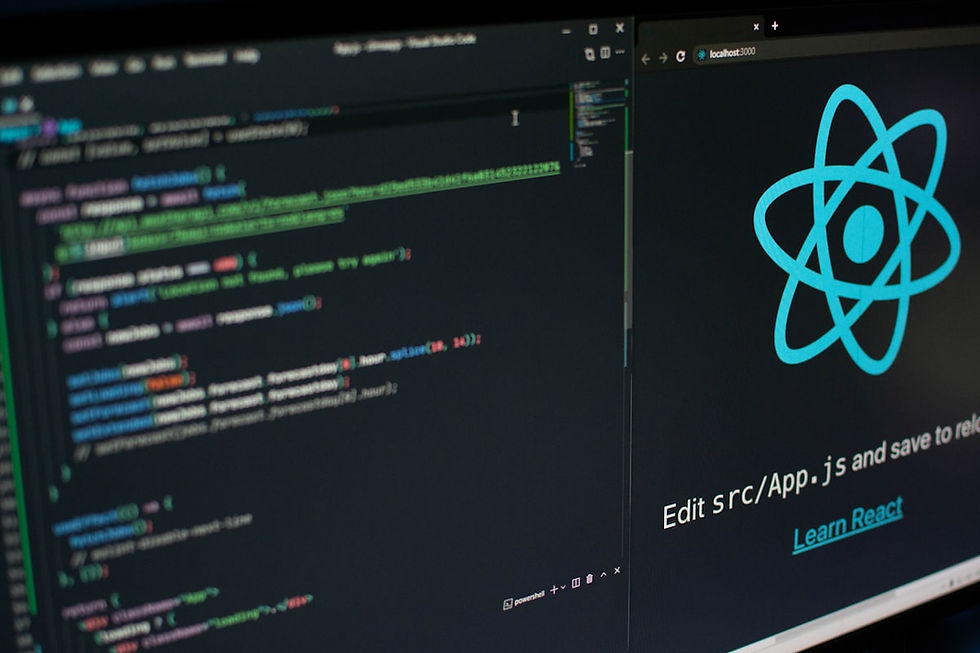
Cursor is what you get when you rebuild VS Code from the ground up with AI at the core. Unlike Copilot, which is a plugin, Cursor is a standalone editor that lets you chat with your entire codebase, make multi-file edits from a single prompt, and debug errors by simply describing the problem.
Developers who switch to Cursor typically report a 30–50% increase in coding speed. The Composer feature is particularly powerful — describe the feature you want to build, and Cursor writes and edits multiple files simultaneously to make it happen.
Best for: Developers who want a fully AI-native editing experience
Pricing: Free tier available, Pro at $20/month
Killer feature: Chat with your entire codebase — ask questions about any file or function instantly
3. v0 by Vercel — AI-Generated UI Components
Frontend developers, this one's a game-changer. v0 is Vercel's AI tool that generates production-ready React components from a text prompt. Describe the UI you want — a pricing table, a hero section, a data dashboard — and v0 generates clean, styled code using Tailwind CSS and shadcn/ui that you can drop straight into your project.
What makes v0 stand out is the quality of its output. It doesn't generate messy, unusable code — it produces components that follow modern best practices and are immediately editable. It's like having a senior frontend engineer on demand.
Best for: Frontend developers and designers building React/Next.js apps
Pricing: Free tier with generous limits
Killer feature: Generates full UI screens from a single text description
4. Claude by Anthropic — The Best AI for Complex Problem Solving
While many developers default to ChatGPT, Claude has become the preferred AI assistant for many senior engineers — especially for tasks that require deep reasoning, long-context understanding, and nuanced technical discussion.
Claude excels at reviewing large codebases, explaining complex architectural decisions, writing technical documentation, and helping you think through system design. Its 200K token context window means it can read and reason about an entire project at once — something no other model handles as gracefully.
Best for: Architecture planning, code review, documentation, and debugging complex systems
Pricing: Free tier available, Pro at $20/month
Killer feature: Massive context window — paste your entire codebase and ask anything
5. Tabnine — Privacy-First AI Code Completion
For developers and teams who work with sensitive codebases — think fintech, healthtech, or enterprise software — Tabnine is the AI coding assistant of choice. Unlike Copilot, Tabnine can run entirely on-premises or in a private cloud, meaning your code never leaves your infrastructure.
Tabnine can also be fine-tuned on your team's own codebase, learning your internal patterns, naming conventions, and architecture — so its suggestions feel native to your project, not generic.
Best for: Enterprise teams with strict data privacy and compliance requirements
Pricing: Free tier, Pro from $12/month, Enterprise pricing available
Killer feature: On-premise deployment — your code stays on your servers with zero data leakage
6. Perplexity AI — Real-Time Research for Developers
Stack Overflow is no longer the first stop for many developers. Perplexity AI answers technical questions with real-time web search, cites its sources, and synthesises information from multiple docs, blog posts, and GitHub issues in seconds. It's like having a research assistant who reads the entire internet for you.
For staying on top of new framework releases, understanding breaking changes, or comparing library options, Perplexity is unmatched. The Pro version with GPT-4 and Claude integration is particularly powerful for deep technical research.
Best for: Technical research, comparing tools, and staying updated on the ecosystem
Pricing: Free tier available, Pro at $20/month
Killer feature: Cited, real-time answers — no hallucinated documentation

How to Pick the Right AI Tools for Your Workflow
The mistake most developers make is trying to use every AI tool at once. The result is tool overload — constantly switching contexts and never going deep enough with any single tool to see real productivity gains.
Here's a practical approach: start with one AI coding assistant (Copilot or Cursor), one AI chat tool (Claude or ChatGPT), and one research tool (Perplexity). Master those three. Then add specialised tools — like v0 for frontend work or Tabnine for team environments — as specific needs arise.
"The best AI tool is the one you actually use consistently. Depth beats breadth every single time."
Final Thoughts: The AI-Augmented Developer Is the Future
AI tools aren't replacing web developers — they're multiplying what each developer can accomplish. The most in-demand developers in 2026 are not those who resist AI, but those who've learned to direct it, review its output critically, and combine it with deep technical expertise.
The tools listed above represent the current best-in-class for each part of the development workflow. Start experimenting, find the ones that click with how you work, and make them a core part of your daily toolkit. Your future self — shipping faster, building better — will thank you.



Comments